Flarial Client for Minecraft Bedrock 1.21/26.45 [Android]
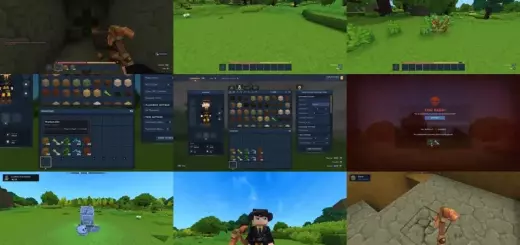
Flarial solves a bunch of problems without cheats, it simply adds convenient tools and brings PC features to Android (iOS is in the works). The client is about 25 mb is completely free and doesnt require paid subscriptions. Also the Flarial Client for Minecraft Bedrock on Windows.
![Flarial Client for Minecraft Bedrock 1.21/26.45 [Android] – photo 10](https://mines-craft.com/wp-content/uploads/2026/08/Flarial-Client-for-Minecraft-Bedrock-10.webp)
![Flarial Client for Minecraft Bedrock 1.21/26.45 [Android] – photo 9](https://mines-craft.com/wp-content/uploads/2026/08/Flarial-Client-for-Minecraft-Bedrock-9.webp)
First Launch
- Download the APK
- The migration process moves worlds resource packs and settings to a new folder without deleting the originals.
- Addons and packs can be imported directly through the Flarial Clients built in file manager.
- If the game freezes after the intro video, launch it without an internet connection.
![Flarial Client for Minecraft Bedrock 1.21/26.45 [Android] – photo 8](https://mines-craft.com/wp-content/uploads/2026/08/Flarial-Client-for-Minecraft-Bedrock-8.webp)
![Flarial Client for Minecraft Bedrock 1.21/26.45 [Android] – photo 7](https://mines-craft.com/wp-content/uploads/2026/08/Flarial-Client-for-Minecraft-Bedrock-7.webp)
Whats in the Main Menu
Here you’ll find Zoom a movement speed counter the Reach display quick item drop counters for arrows, potions, and totems auto-run Fullbright (infinite brightness) and a 360-degree Free Look button. When your health drops, the edges of the screen turn red.
![Flarial Client for Minecraft Bedrock 1.21/26.45 [Android] – photo 6](https://mines-craft.com/wp-content/uploads/2026/08/Flarial-Client-for-Minecraft-Bedrock-6.webp)
![Flarial Client for Minecraft Bedrock 1.21/26.45 [Android] – photo 5](https://mines-craft.com/wp-content/uploads/2026/08/Flarial-Client-for-Minecraft-Bedrock-5.webp)
Customizing the Interface for Your Screen
Flarial gives you complete freedom with customization. In the settings you can remove the frame rate limit with “Uncap FPS,” adjust the menu background blur and enable the alignment grid. The pencil icon button switches the screen to edit mode where you can drag and drop health bars, armor, and buttons. The Chroma palette lets you recolor elements, and adjust their transparency.
![Flarial Client for Minecraft Bedrock 1.21/26.45 [Android] – photo 4](https://mines-craft.com/wp-content/uploads/2026/08/Flarial-Client-for-Minecraft-Bedrock-4.webp)
![Flarial Client for Minecraft Bedrock 1.21/26.45 [Android] – photo 3](https://mines-craft.com/wp-content/uploads/2026/08/Flarial-Client-for-Minecraft-Bedrock-3.webp)
In multiplayer
The client also supports keyboard and mouse via OTG. On servers like Hive, the built-in CPS Limiter will help you avoid getting banned. If Minecraft Bedrock lags during combat disable resource-heavy overlays.
![Flarial Client for Minecraft Bedrock 1.21/26.45 [Android] – photo 2](https://mines-craft.com/wp-content/uploads/2026/08/Flarial-Client-for-Minecraft-Bedrock-2.webp)
List of Modules
- Zoom
- FreeLook
- Quick Perspective
- Quick Drop
- Auto Sprint
- Keystrokes
- Speed Meter
- Reach
- Totem Counter
- Third Person Nametag
- Pot Counter
- Ping Counter
- Motion Blur
- Low Health Indicator
- IP Display
- Inventory HUD
- Hardware Stats
- FPS Counter
- Entity Counter
- Direction HUD (Compass)
- Coordinates
- Combo Counter
- CPS Counter
- CPS Limiter
- Arrow Counter
- Armor HUD
- Fullbright
- Uncap FPS / VSync Disabler
- Better Frames
- Shader Loader
- Insta Hurt Animation
- Hurt Color
- Waila
- Compact Chat
- Skin Stealer
- Java Hotkeys
- Hive Utils / Hive Statistics
- ClickGUI / Themes (Chroma)
- HUD Editor Grid
- Lua Scripts Engine
![Flarial Client for Minecraft Bedrock 1.21/26.45 [Android] – photo 1](https://mines-craft.com/wp-content/uploads/2026/08/Flarial-Client-for-Minecraft-Bedrock-1.webp)
FAQ
How to Move and Configure Interface Elements
- Open the menu by tapping the Flarial icon on the screen or pressing K.
- Enable counters and widgets (FPS, CPS, Keystrokes, Armor HUD).
- Tap the pencil icon at the top of the menu, or press L to enter edit mode.
- Drag and drop modules and buttons wherever you want them
How to import worlds, mods, and textures into Flarial Client on Android
- Launch Flarial and open Settings.
- Go to Manage Files and tap Import.
- Select a file with the .mcworld, .mcpack, .mcaddon, or RenderDragon shader extension.
- Wait for the import to finnish and restart the client.
What to do If the Game Freezes After the Ad
- Close Flarial and Minecraft from the recent apps list.
- Turn off Wi-Fi and mobile data.
- Launch Flarial offline and tap Launch.
- Turn your internet back on only after loading into the world.
How to set up a keyboard and mouse via OTG in Flarial
- Connect your peripherals to your phone using an OTG adapter.
- Load into a world open the Flarial menu, and go to module settings.
- Open the keybind editor and enable both options in the bind settings.
- If buttons in the UI require a double-tap open the accessibility settings in Minecraft Bedrock and disable Text-to-Speech for UI.