
Minecraft: PE 1.21.120 Release – Vibrant Visuals Explained
This is version 1.21.120, introducing new technology that enables enhanced texture packs with Vibrant Visuals support.

Configuring the graphics toggle option
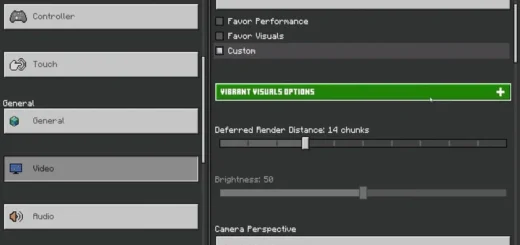
Some of you have encountered problems. This is because you need to enable a special setting, namely go to “Video”. If “Vibrant Visuals” is available but grayed out, you need to enable the toggle while playing the game.

Yes, it’s inconvenient, and honestly, if you go to the Video settings and see that this option is disabled by default (especially after reinstalling), enable it. If it is disabled, you will not be able to change the mode in the game. If it is enabled, you will be able to. It’s just one of those inconveniences that people encounter.
File changes and rebooting on Windows
There are also a few issues with this version. This is because Minecraft: BE 1.21.120 has changed the file locations. There are many changes, mainly improvements in usability, but to be honest, this update is entirely dedicated to graphics and Vibrant Visuals.

If you play on Windows, this is especially important as they have updated GKD on Windows. They started to really change this changelog and updated it because people were so confused. Now it says: “Please note that Marketplace content with Vibrant Visuals Enhanced can only be downloaded after updating to version 1.21.1 on Bedrock. We apologize for the inconvenience.”

If you are on Windows: you need to manually uninstall and then reinstall PEMinecraft. If you are hoping that the update will automatically appear in the Microsoft Store or Minecraft launcher, it will not. You need to do it manually. Previously, you would go to downloads, and the update would install itself. Now it doesn’t. You need to uninstall Minecraft for Windows and install it manually.bet

Important!
Yes, this will delete your maps and worlds, so be sure to make a backup. If you want to enjoy Minecraft PE with Prisma, Luminous Dreams, Ultra Realism, you need to be on version 1.21.120, because if you try to download it through the Minecraft Marketplace and there is a new Vibrant Visuals tab, it will not work without an update. They just didn’t explain it properly to the community.
The rest of the changes are in the main post – Minecraft Bedrock Edition 1.21.130.22 (1.21.120).

![5 New Bosses Add-on [Minecraft PE 0.17.0]](https://mines-craft.com/wp-content/uploads/2016/11/5-New-Bosses-Add-on-520x245.jpg)
![Food Addon [Minecraft PE 0.17.0]Food Addon [Minecraft PE 0.17.0]](https://mines-craft.com/wp-content/uploads/2016/12/Food-Addon-520x245.jpg)
![Secret Spawn Eggs Map [MCPE 0.16.0]](https://mines-craft.com/wp-content/uploads/2016/10/Secret-Spawn-Eggs-Map-520x245.jpg)

