Real Facial Expressions Mod v0.1.0 [Hytale]
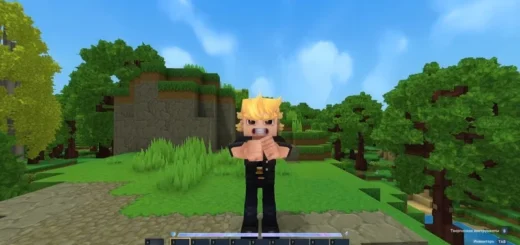
A mod called Real Facial Expressions has been released, and this is not clickbait – a character in Hytale can mimic your facial expressions in real time. If you speak, open your mouth, blink, or move your eyes, your character will do the same.
![Real Facial Expressions Mod v0.1.0 [Hytale] – photo 4](https://mines-craft.com/wp-content/uploads/2026/03/Real-Facial-Expressions-Mod-4.jpg)
Mod features
This works not only in single-player mode. The mod can also work on Hytale servers, so other players can see your character talking along with you. In practice, it looks pretty impressive. So far the number of animations is still limited, so there are few options for mouth, eye and other small details, so sometimes expressions may not be displayed accuratly.
![Real Facial Expressions Mod v0.1.0 [Hytale] – photo 2](https://mines-craft.com/wp-content/uploads/2026/03/Real-Facial-Expressions-Mod-2.jpg)
How the mod works
Real Facial Expressions uses an additional application that tracks your facial expressions via a webcam. The principle is simple.
With the additional application
- Your real facial expressions are read via a webcam and transmitted to Hytale.
- The character repeats your facial movements.
Without the application
- You can still play, but the character’s facial expressions will not be synchronized with yours.
- Instead standard Hytale animations will be played.
![Real Facial Expressions Mod v0.1.0 [Hytale] – photo 3](https://mines-craft.com/wp-content/uploads/2026/03/Real-Facial-Expressions-Mod-3.jpg)
It is important to note that the application only transmits technical data: facial expression parameters (blendshape) and gaze direction. No images or videos from the camera are sent outside your PC.
How to install Real Facial Expressions in Hytale
The mod is currently in beta development (version 0.1), so the installation is slightly diferent from regular mods.
- Download the mod and companion app.
- Install the app on your computer.
- Place the mod file itself in the Mods folder.
![Real Facial Expressions Mod v0.1.0 [Hytale] – photo 5](https://mines-craft.com/wp-content/uploads/2026/03/Real-Facial-Expressions-Mod-5.jpg)
The path usually looks like this:
AppData – Roaming – Hytale – UserData – Mods
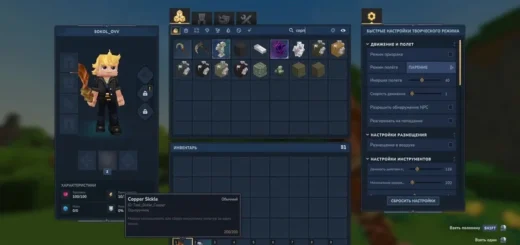
After that, when creating a world you will need to enable the mod with a check mark. When you start the game for the first time nothing will happen and thats normal. Next you need to launch the additional app.
![Real Facial Expressions Mod v0.1.0 [Hytale] – photo 6](https://mines-craft.com/wp-content/uploads/2026/03/Real-Facial-Expressions-Mod-6.jpg)
Application settings
There are only a few fields in the program:
- Face ID
- Server IP
- Port
- Camera
The application also displays Face Mesh – a face mask that is superimposed on the camera image. The program uses this mask to track the position of the eyes, mouth and other facial features. The Server IP and port are usually filled in automatically. Only Face ID needs to be specified manualy.
![Real Facial Expressions Mod v0.1.0 [Hytale] – photo 7](https://mines-craft.com/wp-content/uploads/2026/03/Real-Facial-Expressions-Mod-7.jpg)
To get Face ID:
- Go to the server.
- Get operator rights with the op command.
- Use the /rfe faceId command.
After that the game will give you your Face ID. You need to copy and paste it into the application. After that the character will start repeating your facial expressions.
![Real Facial Expressions Mod v0.1.0 [Hytale] – photo 1](https://mines-craft.com/wp-content/uploads/2026/03/Real-Facial-Expressions-Mod-1.jpg)
Important!! Its better not to show your Face ID to other players. If someone finds out what it is they can connect and use your animation. If this happens you can reset your Face ID with the command /rfe resetFaceId.
Limitations and possible problems
- The mod is in the early stages of development, so there are some limitations.
- Real Facial Expressions is not currently recommended for large servers.
- There may be conflicts with other animation mods especially if they modify the Server/Models/Human/Player.json file.
- The number of facial animations is currently limited.
Below are the download links, but keep in mind that this is the first version and there may be bugs.