Minecraft Bedrock Edition 1.21.40.21 Beta Changelog
Experimental Features
Bundles
- Renamed Bundles names are now italicized in the tooltip
Features and Bug Fixes
Accessibility Features
- Re-implemented the left handed mode on touch devices for accessing the inventory from the hotbar
Blocks
- Fixed an issue with shipwrecks only generating lower-slabs. (This fix will not alter already generated shipwrecks)
- Updated references to old block names in behavior pack wood recipe files
- Updated references to old block names in remaining behavior pack recipe files
Gameplay
- Fixed a bug where Oozing, Weaving, and Wind Charged effects did not apply on player’s death
- Mobs can now perform Mace Smash attacks
General
- Removed some Keyboard key bindings from Settings that should only exist in Minecraft Education: Control Tips, Code Builder, and Immersive Reader
Graphical
- Fixed an issue that caused some blocks to lose their ambient occlusion and for leaves in certain biomes to appear too bright
Mob
- Carved Pumpkin and Skull now rotates with the Bogged’s head when worn
Sound
Blocks
- Mob Spawner step sounds and hit sounds now play at their intended volume
- Trial Spawner hit sounds now play at their intended volume
Mobs
- Wither Skeleton step sounds now play at their intended volume
User Interface
- LAN worlds are now visible in the “Worlds” tab for the OreUI Play screen (Preview only)
- Fixed a bug where the incorrect message would be shown on the experimental bed screen for certain values of the playerssleepingpercentage game rule
Creative Inventory Changes
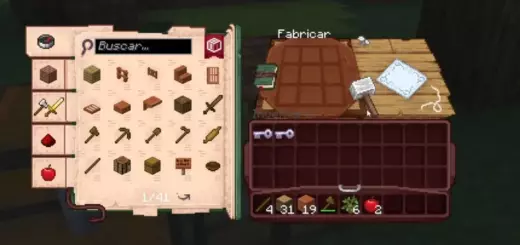
Developer’s Note: Items and blocks in the creative inventory have been reorganized, with the goal of making overall sorting more intuitive.
- Trial Chamber items
- Trial Keys were moved to be next to Ominous Trial Keys, very ominous
- Ominous Bottles were moved next to the existing Potions and were made into its own “Ominous Bottle” group
- Stone group in the Nature tab
- Stone was moved into the Stone group, finally
- Stone is now the front block of the Stone group
- Basalt and Smooth Basalt were moved into the Stone group
- Tuff and Polished Tuff were moved into the Stone group
- Decorative Stone in the Construction tab
- Smooth Stone was moved into Decorative Stone
- Tuff Brick, Chiseled Tuff, and Chiseled Tuff Bricks were moved from the Nature Category to Decorative Stone in the Construction Category
- Prismarine Bricks were moved from the Decorative Stone group, now they are next to Prismarine and Dark Prismarine
- Copper family etc
- Reordered Raw Iron, Raw Copper, Raw Gold to Raw Copper, Raw Iron, Raw Gold
- The Copper, Iron, and Gold blocks were moved to match the Raw versions ordering
- The Copper Doors were moved to all the other Doors
- The Copper Trapdoors were moved to the group with all the other Trapdoors, this is not a trap
- Copper Blocks and Copper Grates are now sorted by Block type then by Oxidation level, instead of Oxidation level then Block type
- Tuff family
- Tuff Stairs, Tuff Slabs, Tuff Walls, and their polished versions were moved from the Nature tab to the Construction Tab into their respective groups
- Other blocks
- Bricks are now placed before the Slabs group
- This change only affects Bricks made from Clay and not all the brick blocks
- Chiseled Nether Bricks and Cracked Nether Bricks were moved next to the Nether Brick Block and Red Nether Brick
- Quartz Bricks placed next to the other Quartz blocks
- Rooted Dirt is now next to the other Dirt blocks
- Many Dirt blocks and Grass variants were shuffled around to match Java Edition
- Gravel is now ordered after the Stone group and is next to Sand and Red Sand
- Clay was moved from the Construction Category to the Nature Category, placed next to the Mud Block
- Bricks are now placed before the Slabs group
Technical Updates
Block
- Added content warning when “carried_textures” or “blockshape” are incorrectly written in blocks.json
Components
- Renamed the “minecraft:lookat” component to “minecraft:looked_at” to better reflect its functionality
- Its “look_event” field was also renamed to “looked_at_event”
- Its “look_cooldown” field was also renamed to “looked_at_cooldown”
- Expanded the “minecraft:looked_at” component functionality with the addition of six new [Beta] fields:
- “find_players_only” restricts the search for entities looking at the owner entity to Players only, ensuring that the closest Player satisfying the specified “filters” is selected
- “look_at_locations” defines the parts of the owner entity that are targeted for being looked at
- For these parts, a line-of-sight check is performed to ensure no blocks obstruct the view
- Supported values are “head”, “body”, and “feet”
- “not_looked_at_event” specifies the event to trigger when no suitable entity is looking at the owner entity
- “field_of_view” defines the width of the field of view, in degrees, for entities looking at the owner entity:
- If “scale_fov_by_distance” is set to true, this value corresponds to the field of view at a distance of one block between the entities
- “scale_fov_by_distance” determines if the field of view narrows as the distance between the owner entity and the entity looking at it increases
- This ensures that the width of the view cone at the owner entity position remains relatively constant, regardless of distance
- “line_of_sight_obstruction_type” defines which block shape is considered when checking for line-of-sight obstructions
- Supported values are “outline,” “collision,” and “collision_for_camera”
- Moreover, “set_target” now supports three different values:
- “never”, looking entities are never set as targets, but events are emitted
- “once_and_stop_scanning”, the first detected looking entity is set as target, but scanning and event emission is suspended if and until the owner entity has a target
- [Beta] “once_and_keep_scanning”, the first detected looking entity is set as target, but scanning and event emission continues
- All these fields are planned to be taken out of [Beta] and fully released at a later date
Editor
- Added an initial Editor Settings panel with options for ‘Show Invisible Blocks’ and ‘Show Chunk Boundaries’
Entity Event Responses
- Added the “reset_target” entity event response, which allows an entity to reset its target
Feature
- Using unsupported feature placement in “pregeneration_pass” will now throw a content error instead of crash
Graphical
- Add new the_end.client_biome.json as the first new type of file to contain per-biome rendering and audio settings in resource packs
Items
- The
"minecraft:item"object is parsed with a strict loader from 1.21.40- Numbers and booleans are no longer interchangeable in the JSON input
- Floating point numbers are no longer accepted where an integer is expected
Resource and Behavior Packs
- Fixed an issue where packs were not downloaded or applied when joining a server that had CDN enabled
- Fixed an issue where user choice for downloading/applying resource packs during server join was ignored when CDN is enabled on the server
Trading
- Fixed an issue where trades with negative ‘max_use’ values could not be traded
Technical Experimental Updates
Graphical
- Improved lighting for maps when held in hand and when placed in frames in the Deferred Technical Preview
- Fixed water surface shaking that would occur when upscaling was enabled in the Deferred Technical Preview
- Added a slider in the Deferred Technical Preview video settings for controlling the upscaling resolution factor
Molang
- Adding under upcoming creator features:
query.client_memory_tier. Returns a number representing the client RAM memory tier, 0 = ‘Undetermined’, 1 = ‘SuperLow’, 2 = ‘Low’, 3 = ‘Mid’, 4 = ‘High’, or 5 = ‘SuperHigh’. Available on the Client (Resource Packs) onlyquery.server_memory_tier. Returns a number representing the server RAM memory tier, 0 = ‘Undetermined’, 1 = ‘SuperLow’, 2 = ‘Low’, 3 = ‘Mid’, 4 = ‘High’, or 5 = ‘SuperHigh’. Available on the server side (Behavior Packs) only
Scripting
- Added enum
MemoryTier
    export enum MemoryTier {
        Undetermined = 0,
        SuperLow = 1,
        Low = 2,
        Mid = 3,
        High = 4,
        SuperHigh = 5
    }
- Added base class
SystemInfo- Field
MemoryTier
- Field
- Added class
ClientSystemInfo.- Field
MemoryTier
- Field
- Class
Player- Added property
clientSystemInfo
- Added property
- Class
System- Added property
serverSystemInfo
- Added property