UMB Bedrock Plug-In v1.1.0 [1.21]
UMB Bedrock is designed for Minecraft: Bedrock 1.21 world and server administrators who want to create interactive menus, such as warp selectors, item sets, or custom item sets. This tool allows you to design, edit, and manage user interfaces directly within the game, so forget about complicated coding and external editors, because now everything can be done through the UI.
No Command Blocks
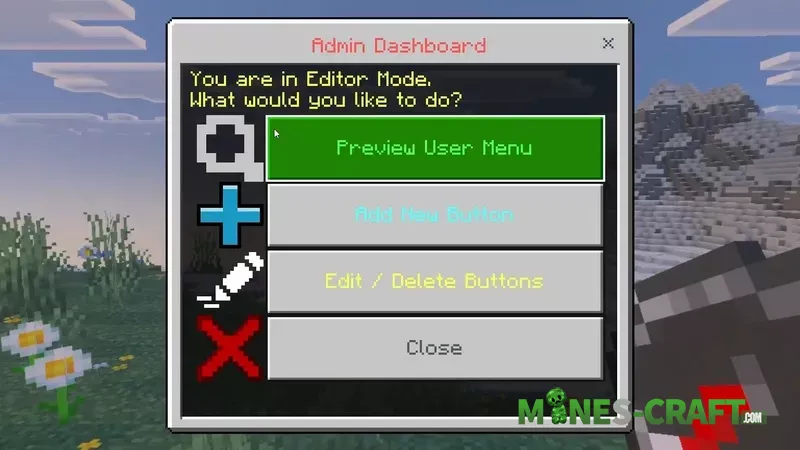
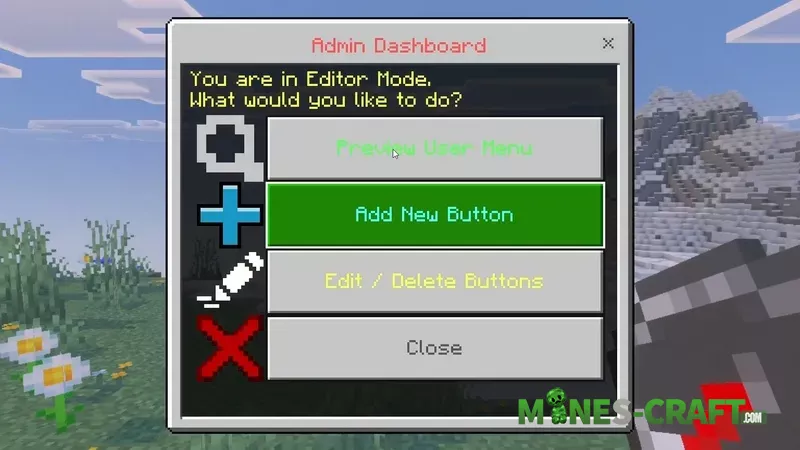
The main strength of this add-on lies in its built-in visual editor, and to access the editor’s control panel, you only need to have the admin tag (/tag @s add admin). Hold down the compass and right-click/long-press to access the Admin Dashboard, where you can select:
- Preview User Menu
- Add New Button
- Edit / Delete Buttons
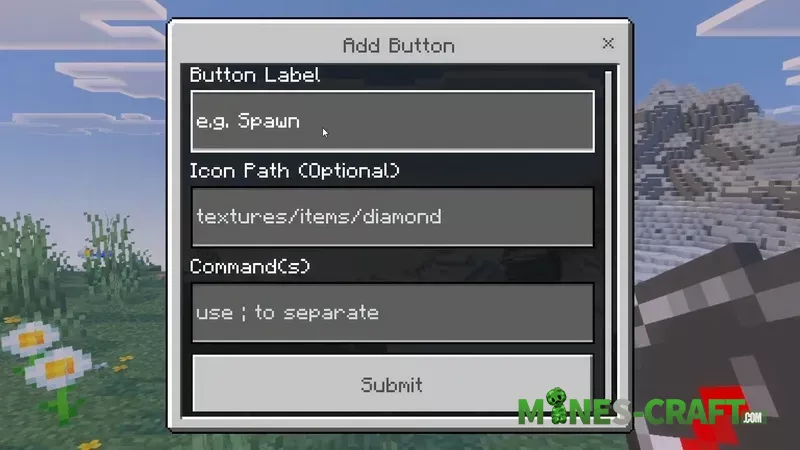
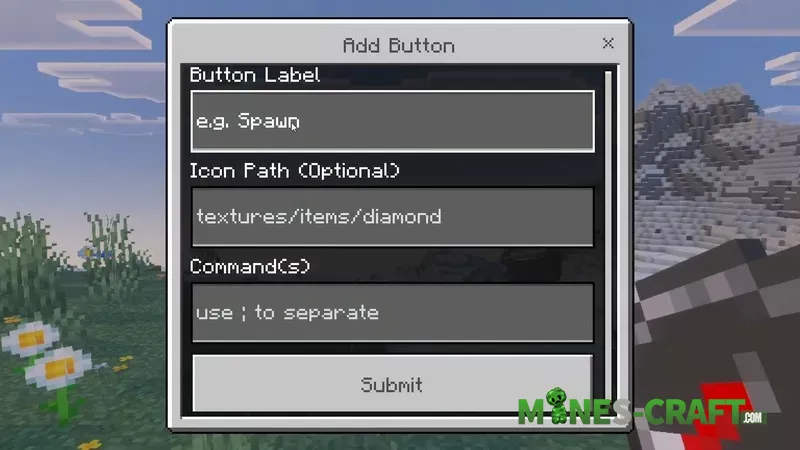
The process of creating a button is incredibly simple: you set the Label, you can select an optional Icon Path (for example, textures/items/diamond), and most importantly, you write the Command(s) that will be executed when the button is pressed.
Commands and Sets
A single click can trigger an entire script of actions separated by semicolons (;). For example, the “Starter kit” button can:
- Give the player items (e.g., /give @s sword);
- Send a welcome message (/say Welcome!);
- Play a sound (/playsound levelup @s).
UMB Bedrock Features
- Visual In-Game Editor
- Button Creation
- Simple Button Control
- Live Preview
- Multi-Command Support
- Reliable Operation on Worlds and Realms
- Admin Dashboard (Access via the /tag @s add admin tag)
![Player Skills Pro Add-On [Premium] – photo 7](https://mines-craft.com/wp-content/uploads/2026/02/Player-Skills-Pro-Add-On-7-520x245.webp)
![Advanced World Border Addon [Bedrock 26.0+] – photo 2](https://mines-craft.com/wp-content/uploads/2026/02/Advanced-World-Border-Addon-2-520x245.webp)
![2 Players One Horse Addon [Bedrock 26.0+] – photo 4](https://mines-craft.com/wp-content/uploads/2026/01/2-Players-One-Horse-Addon-Bedrock-4-520x245.webp)