VoidLine Client [Bedrock 1.21.132/26.0/Win11]
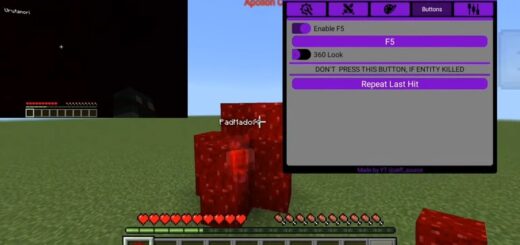
VoidLine Client stands out from its competitors with its stylish dark interface and flexibility, which it offers users from the moment they launch it. Essentually, it is a typical client for Minecraft Bedrock 1.21 or 26.0 with a standard set of options but a unique interface.
![VoidLine Client [Bedrock 1.21.131/Win] – photo 9](https://mines-craft.com/wp-content/uploads/2026/01/New-INSANE-1.21.131-Client-_-VoidLine-Client-Minecraft-Bedrock-Edition-2-47-screenshot.webp)
![VoidLine Client [Bedrock 1.21.131/Win] – photo 8](https://mines-craft.com/wp-content/uploads/2026/01/New-INSANE-1.21.131-Client-_-VoidLine-Client-Minecraft-Bedrock-Edition-2-12-screenshot.webp)
How to launch and what’s inside
VoidLine doesnt restrict players and offers two options: the classic installer (VoidLauncherInstaller) or direct launch. If you dont want to bother with installation, just choose the second option. When launched through the launcher, the client will load the necessary resources itself.
![VoidLine Client [Bedrock 1.21.131/Win] – photo 7](https://mines-craft.com/wp-content/uploads/2026/01/New-INSANE-1.21.131-Client-_-VoidLine-Client-Minecraft-Bedrock-Edition-1-6-screenshot.webp)
![VoidLine Client [Bedrock 1.21.131/Win] – photo 6](https://mines-craft.com/wp-content/uploads/2026/01/New-INSANE-1.21.131-Client-_-VoidLine-Client-Minecraft-Bedrock-Edition-0-52-screenshot.webp)
Visually, the Click GUI menu (activated with “K”) resembles the best Bedrock clients; everything is minimalistic, purple-colored, and intuitive.
![VoidLine Client [Bedrock 1.21.131/Win] – photo 5](https://mines-craft.com/wp-content/uploads/2026/01/New-INSANE-1.21.131-Client-_-VoidLine-Client-Minecraft-Bedrock-Edition-0-10-screenshot.webp)
![VoidLine Client [Bedrock 1.21.131/Win] – photo 4](https://mines-craft.com/wp-content/uploads/2026/01/New-INSANE-1.21.131-Client-_-VoidLine-Client-Minecraft-Bedrock-Edition-0-9-screenshot.webp)
Fine tuning
The main feature of VoidLine Client is customization.
- You can change fonts (for example, to Montserrat), adjust the background transparency, and choose the interface color using RGB sliders.
- In the View Model section, you can rotate the position of hands and objects along the X, Y, and Z axes, change their size and FOV so the weapons in your hands look exactly the way you want them to.
- Notification and Waypoint settings allow you to change their size and animation speed.
![VoidLine Client [Bedrock 1.21.131/Win] – photo 3](https://mines-craft.com/wp-content/uploads/2026/01/New-INSANE-1.21.131-Client-_-VoidLine-Client-Minecraft-Bedrock-Edition-0-8-screenshot.webp)
Utilities for pros
VoidLine is a legit client focused on comfort, not cheats. It features a convenient Snap Look for quick overviews, a nickname modifier, and settings for Zeqa. Pressing a new movement key overrides the opposite one, allowing your character to instantly change direction without delay.
![VoidLine Client [Bedrock 1.21.131/Win] – photo 2](https://mines-craft.com/wp-content/uploads/2026/01/New-INSANE-1.21.131-Client-_-VoidLine-Client-Minecraft-Bedrock-Edition-0-6-screenshot.webp)
It also has built-in scripting and configuration manager features so you can quickly import settings from the clipboard or share your presets with friends.
![VoidLine Client [Bedrock 1.21.131/Win] – photo 1](https://mines-craft.com/wp-content/uploads/2026/01/New-INSANE-1.21.131-Client-_-VoidLine-Client-Minecraft-Bedrock-Edition-0-3-screenshot.webp)
Features
- Advanced key intercept logic for perfect manuvering.
- Full customization of coordinates, rotation, and scale of hands/objects.
- Ability to change fonts, shadows, and corner rounding radius in the menu.
- Quick import and export of settings via the clipboard.
- Flexible markers with adjustable visibility distance and animation smoothness.
- Specialized toolset for playing on popular servers.
- Integration with Direct12 and the ability to switch graphics engines directly from the client menu.
Changelog
26.0 Update:
- Added MCBE 26.0.2 support
- ESP fixes
- Client filesize optimization
- Bugfixes